Slack
The Slack notification service uses either Slack Webhooks or the Bot API to send messages.
| Field | Description | Scheme |
|---|---|---|
channel* | The channel to send messages to, in | |
token* | Your Slack app's API bot token. | |
botName | Bot name | |
color | Message left-hand border color |
|
icon | emoji or URL | |
threadTS | ts value of the parent message (to send message as reply in thread) | |
title | Prepended text above the message |
Create a Slack bot
-
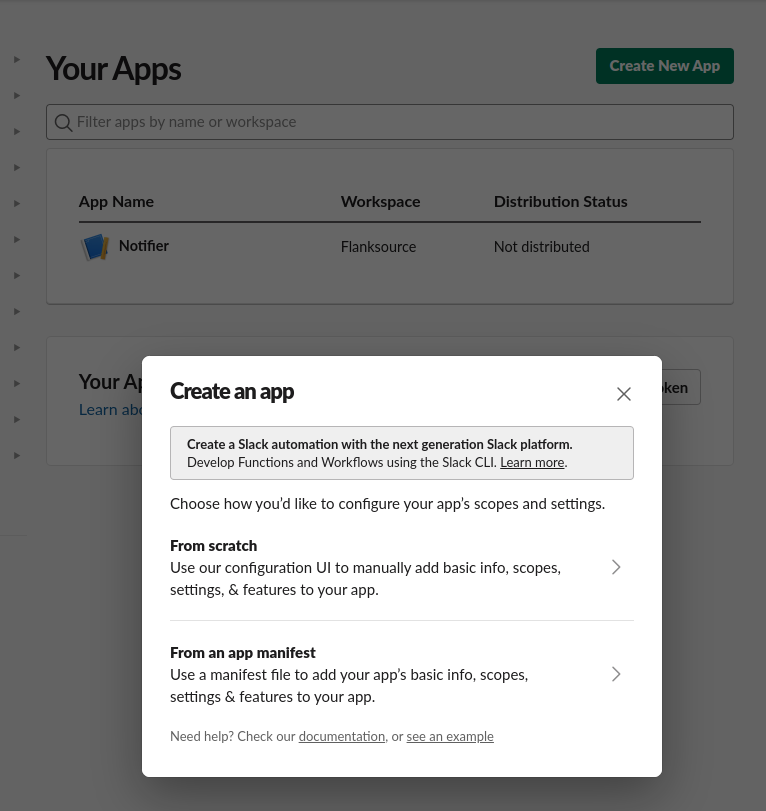
Create a new app
Visit https://api.slack.com/apps and create a new app. Use the "From an app manifest" option.
-
Set up OAuth permission
After creating the app, you should be navigated to the app's homepage. On the left panel menu, go to Features->OAuth & Permissions. Scroll down and you should see the "Scopes" section
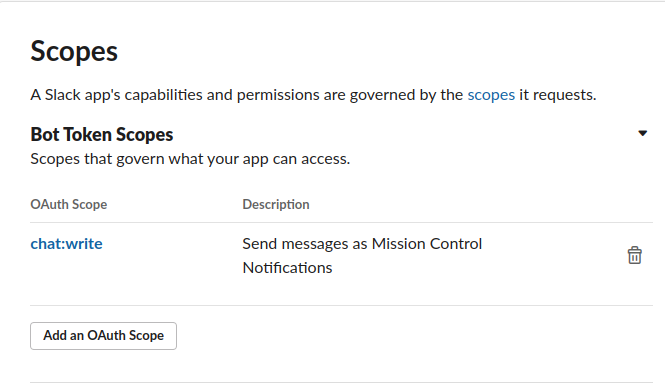
Set
chat:writepermission -
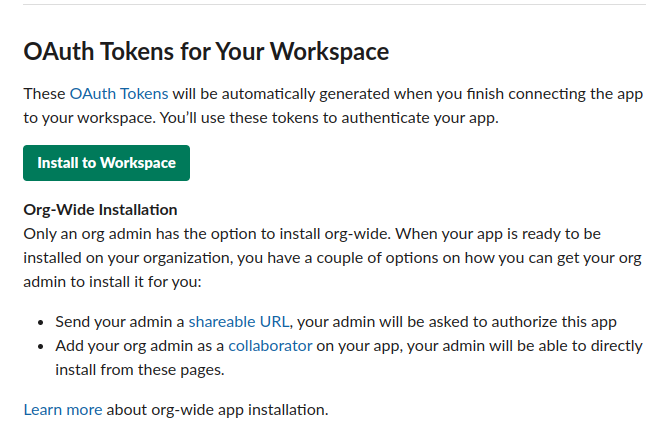
Install the Slack app
While still on the same page, scroll up to the "OAuth Tokens for Your Workspace" section. Install the newly created app on your Slack workspace.
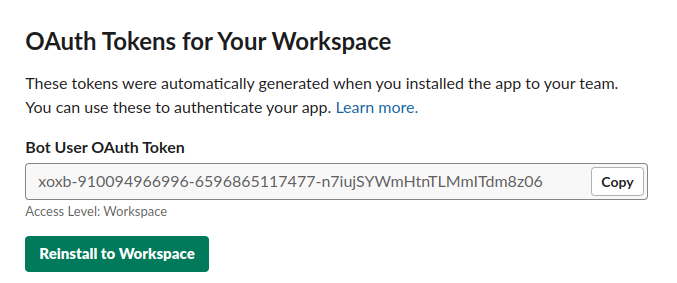
Once you install the app you should see the OAuth token
-
Create kubernetes secret
You will need to create a new kubernetes secret using the OAuth token created above
slack-secret.yaml---apiVersion: v1kind: Secretmetadata:name: slack-credentialsnamespace: defaultstringData:BOT_TOKEN: xoxb-910094966996-6596865117477-n7iujSYWmHtnTLMmITdm8z06 -
Create Connection
Create a new Slack connection using that kubernetes secret.
slack-connection.yamlapiVersion: mission-control.flanksource.com/v1kind: Connectionmetadata:name: slacknamespace: defaultspec:slack:token:valueFrom:secretKeyRef:name: slack-credentialskey: BOT_TOKENchannel: C0123456789botName: Mission Controlicon: ":robot_face:" -
Create the notification CRD
notification.yamlapiVersion: mission-control.flanksource.com/v1kind: Notificationmetadata:name: http-check-alertsnamespace: defaultspec:events:- check.failedto:# use the slack connection as the recipient for this notificationconnection: connection://default/slackfilter: check.type == 'http' -
Apply the notification
kubectl apply -f notification.yaml`