Google Cloud
Mission Control integrates with Google Cloud Platform to provide visibility into your cloud infrastructure.
Scraper
Discover and catalog GCP resources with full change history and relationships.
Use cases:
- Discover and catalog Compute Engine VMs, Cloud SQL instances, GKE clusters, and other GCP resources
- Track configuration changes across projects and folders
- Correlate GCP resources with GKE workloads and Terraform state
- Build relationships between GCP services and their dependencies
- Support organization-wide visibility with folder-based access
- Ingest cost data from the Cloud Billing export in BigQuery
- Ingest audit logs and IAM policy bindings as access records
Health Check
Monitor GCP services and endpoints with health checks.
Use cases:
- Monitor Cloud Storage bucket availability and object health
- Check Cloud SQL database connectivity and status
- Verify GKE cluster health and node status
Getting Started
Prerequisites
-
Install the mission-control-gcp chart
- Helm
- Flux
helm install mission-control-gcp flanksource/mission-control-gcp \--set project=<your-project-name> \-n mission-control --waitapiVersion: helm.toolkit.fluxcd.io/v2kind: HelmReleasemetadata:name: mission-control-gcpnamespace: mission-controlspec:chart:spec:chart: mission-control-gcpsourceRef:kind: HelmRepositoryname: flanksourcenamespace: mission-controlinterval: 5mvalues:project: <your-project-name>values.yaml
- connection:
- credentials:
- value: string
- valueFrom:
- configMapKeyRef:
- key: string
- name: string
- helmRef:
- key: string
- name: string
- secretKeyRef:
- key: string
- name: string
- serviceAccount: string
- configMapKeyRef:
- endpoint: string
- exclude[]: - list of googleapis to exclude from scraping examples: - compute.googleapis.com/InstanceSettings - serviceusage.googleapis.com/Service
list of googleapis to exclude from scraping examples: - compute.googleapis.com/InstanceSettings - serviceusage.googleapis.com/Service
- global: - Global values are values that can be accessed from any chart or subchart by exactly the same name.
Global values are values that can be accessed from any chart or subchart by exactly the same name.
- include[]: - list of googleapis to include in scraping examples: - compute.googleapis.com/Instance - compute.googleapis.com/Network
list of googleapis to include in scraping examples: - compute.googleapis.com/Instance - compute.googleapis.com/Network
- labels: - list of labels to add the Scrape config
- project:
- scraper:
- name: string (default: "gcp")
- pluginName: string (default: "gcp")
- skipTLSVerify: boolean
- transform:
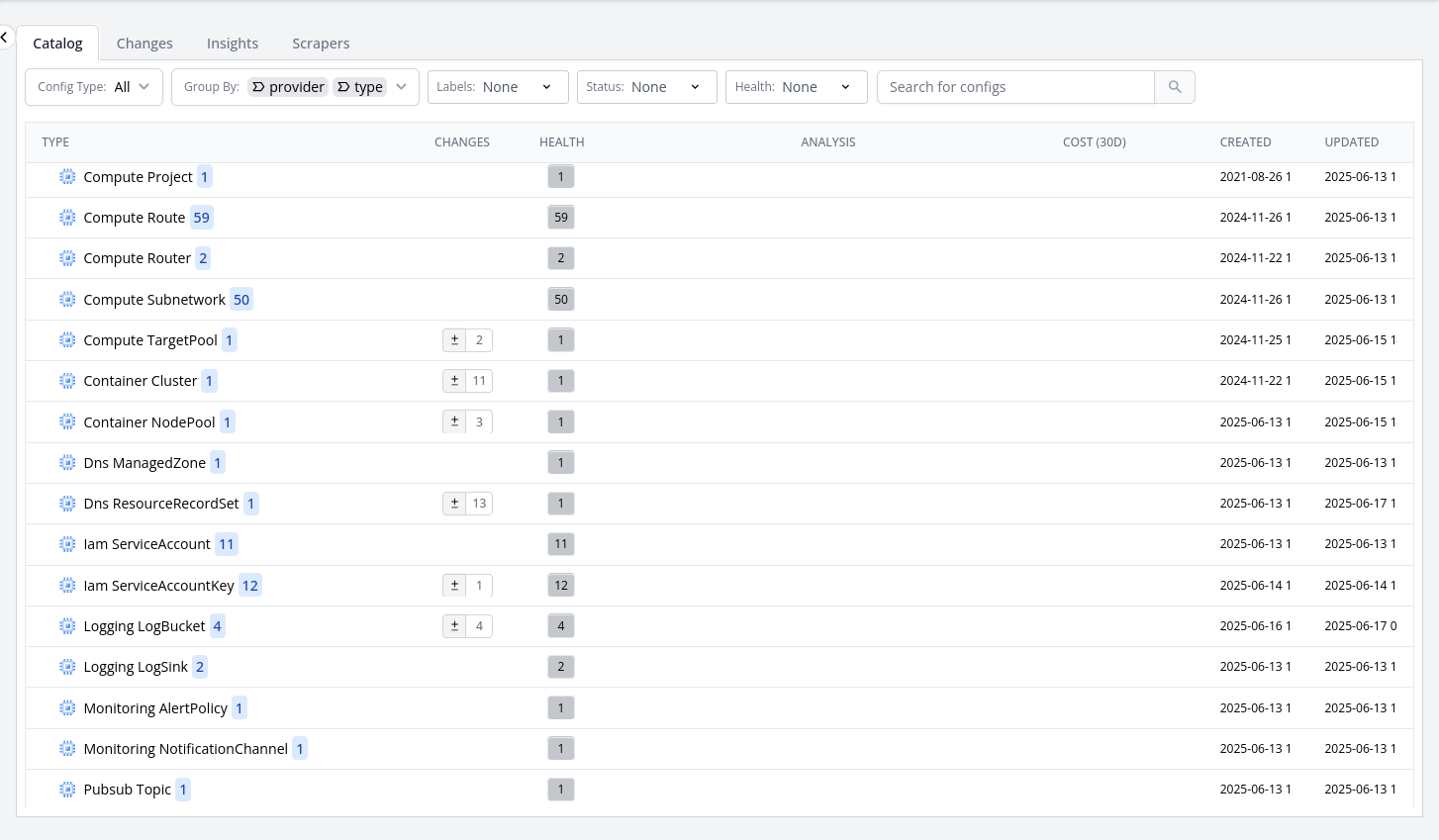
When you go to the catalog now, you can now see all the GCP Resources